Build PDFs,
don’t typeset them
Invoices, quotes, delivery notes, reports, certificates. A fixed set of building blocks instead of a markup language – small enough to run inside a Cloudflare Worker.
$ cargo run --example demo_invoice wrote examples/demo_invoice.pdf (23977 bytes) $ cargo run --example demo_offer wrote examples/demo_offer.pdf (24876 bytes) $ cargo run --example demo_report wrote examples/demo_report.pdf (26348 bytes)
skrifa parses font files. miniz_oxide is optional, behind the default-on compress feature. The PDF writer and the TrueType subsetter are part of the project.
Measured with wrangler deploy --dry-run for the build from wasm, default-fonts and compress; 1252.95 KiB raw.
Release build, average of five runs for the invoice, offer and report demos. Page count, table size and font weights move that number.
A library for documents that always look the same.
lightweight-pdf is deliberately not a typesetting system. There is no markup language of its own and no parser for one – just a builder API over a fixed set of layout primitives. That keeps the feature set small, and the binary small enough for runtimes with a size limit.
github.com/casoon/lightweight-pdf →- 01Own PDF writer — objects, cross-reference table and streams are written by the library itself
- 02Own subsetter — TrueType fonts are reduced to the glyphs in use and embedded
- 03Two-pass layout — so that “page 2 of 3” in the footer is correct
- 04Warnings instead of silent failures — clipped text and missing glyphs are reported
One running generator and three rendered documents.
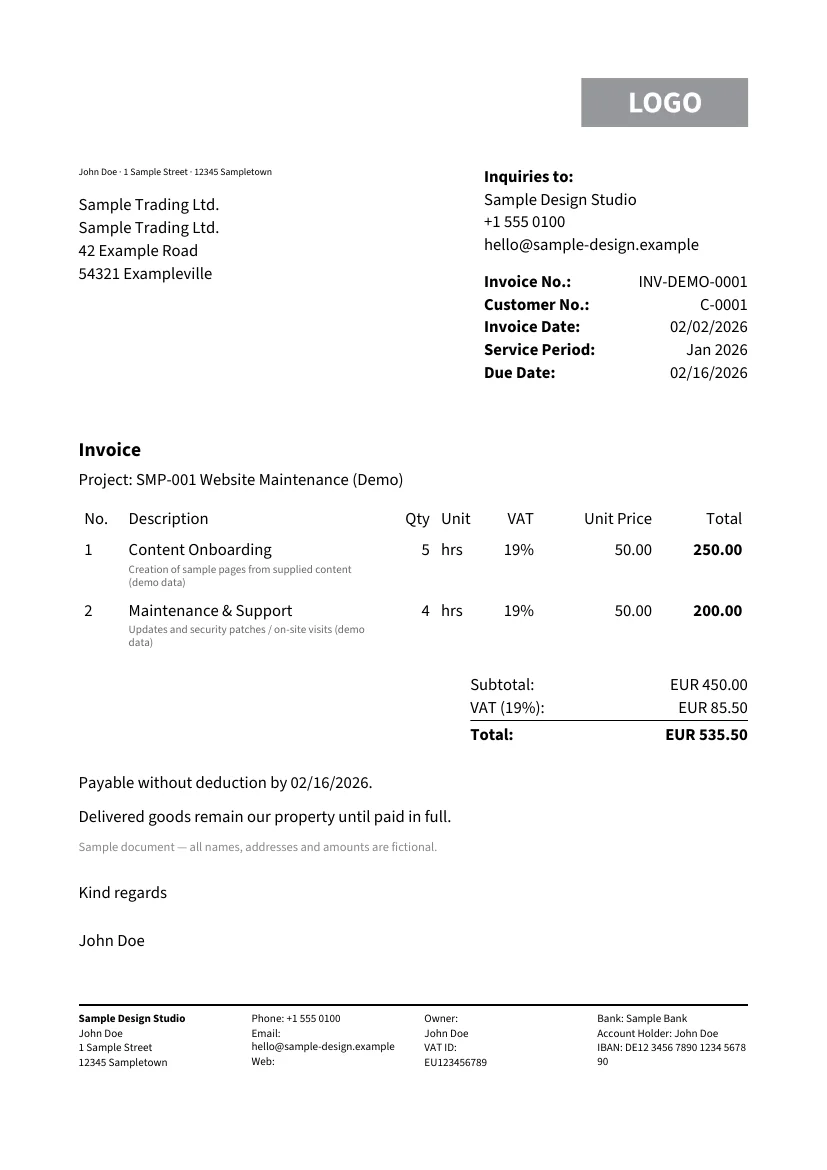
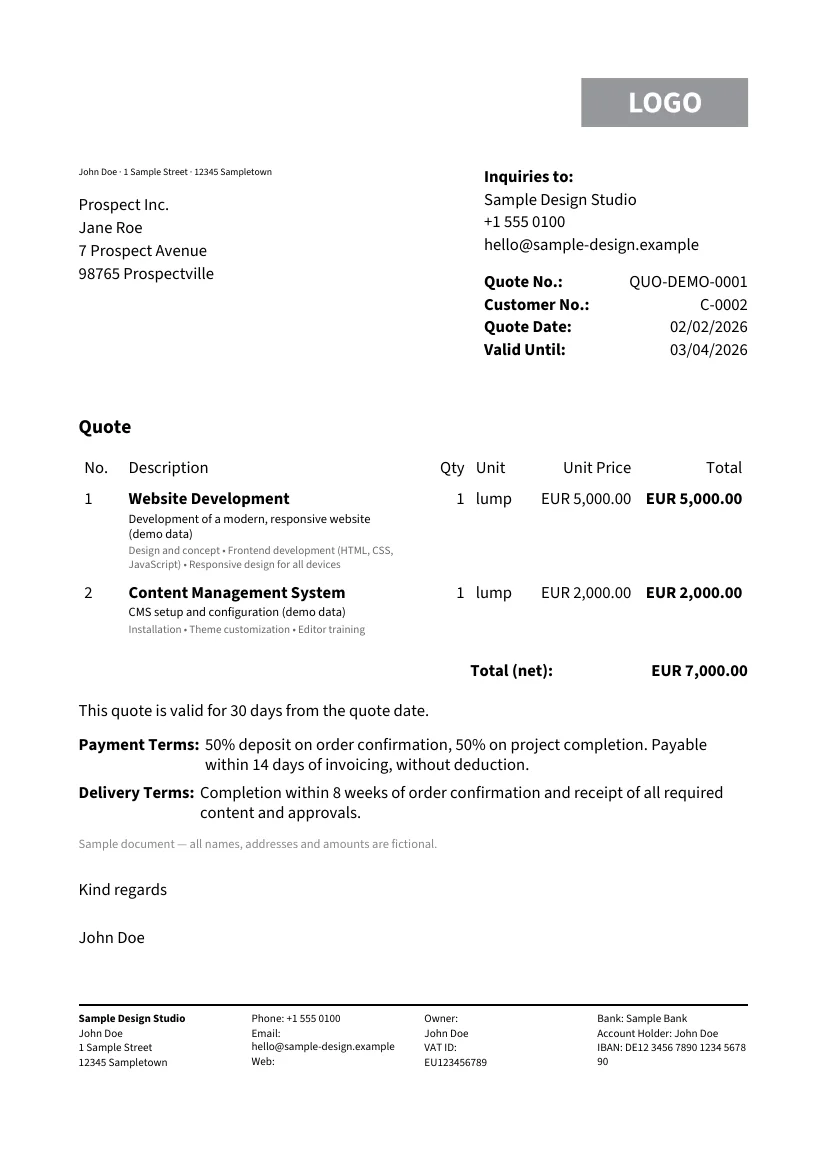
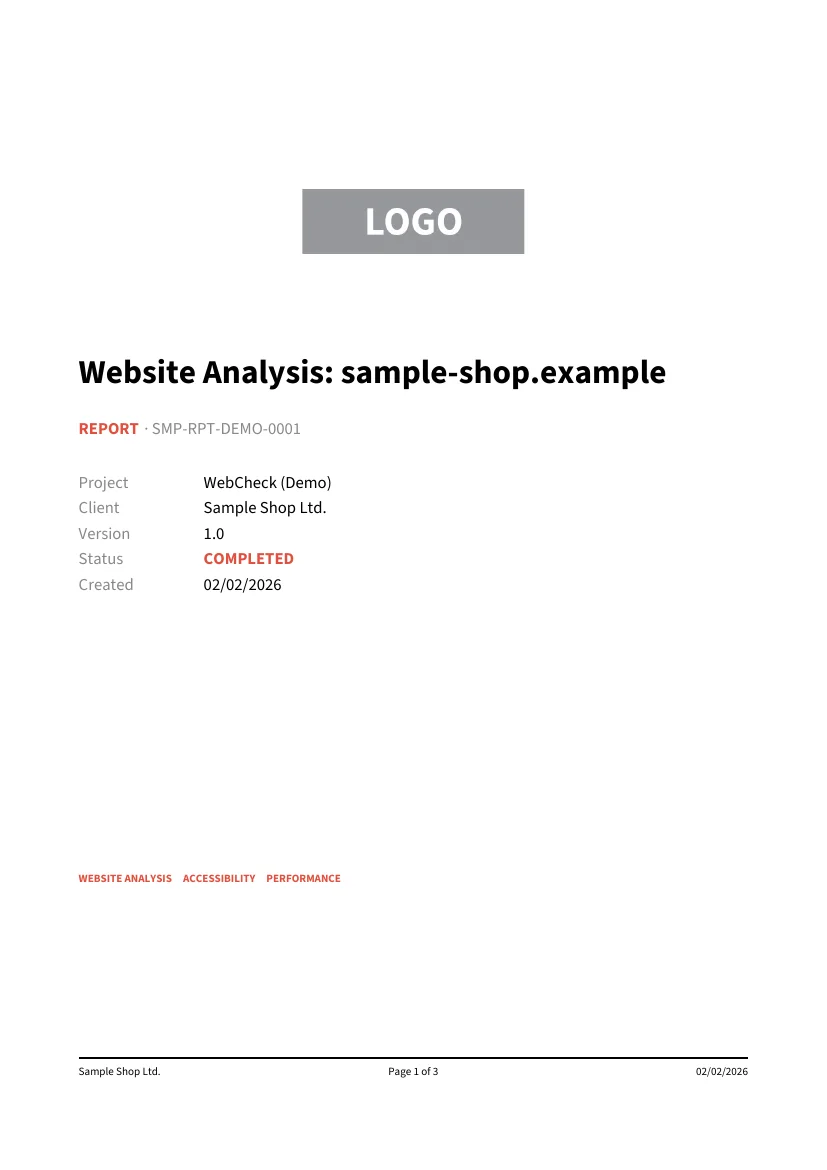
All names, addresses and amounts in the demo documents are fictional. The showcase in the documentation re-renders them on every site build, source next to PDF.
Two routes, one result.
- 1As a library
Add the crate
The
lightweight-pdffacade carries the public API; the default fonts (Source Sans 3) are bundled by default.cargo add lightweight-pdf - 2Build a document
Compose the primitives
Text, tables, rows and columns, plus header and footer.
render()returns the PDF bytes.Document::new(PageFormat::A4) - 3Without Rust
CLI with JSON
The CLI is its own crate, so the library never depends on
clap. Input is a JSON document, or a template plus data.cargo install lightweight-pdf-cli
What comes in the box.
Pagination that counts
Layout runs in two passes. The total page count is only known after the first one, so page 2 of 3 stays correct even for content that breaks across pages.
Tables with a column model
Fixed and flexible column widths, header repetition across pages, row striping, vertical alignment and cell backgrounds.
Fonts embedded, not linked
The built-in TrueType subsetter keeps only the glyphs actually used. Custom fonts can be added with registerFont.
JSON and templates
A document can be described as JSON. Templates with {{placeholders}} and $each are resolved against a data file; lwpdf schema prints the JSON Schema.
PDF/A-3b, ZUGFeRD, PDF/UA
Behind their own features: PDF/A-3b, embedded ZUGFeRD/Factur-X invoice XML and Tagged PDF per PDF/UA-1 – verified with veraPDF, ZUGFeRD additionally with Mustang.
Snapshot tests for PDFs
lightweight-pdf-testing compares rendered pages pixel by pixel against stored references. The crate also works for PDFs from other tools.
Eight crates, one direction.
- Model
Document and elements
The document tree and the builder API. It knows nothing about PDF or layout – only primitives and their properties.
- Layout
Wrapping and pagination
The
Layoutabletrait, text wrapping, hyphenation and the two-pass page break, including the table of contents. - Output
Writer and fonts
PDF objects, the cross-reference table and streams, plus font metrics via
skrifaand the subsetting. Both crates are leaves with no path dependency on model or layout.
Rust or JSON.
use lightweight_pdf::*;

let mut doc = Document::new(PageFormat::A4)
    .margin(Margin::all(20.0))
    .footer(Footer::new(20.0, |ctx| {
        Text::new(format!("Seite {} von {}", ctx.page, ctx.total_pages)).into()
    }));

doc.add(Text::new("Rechnung").heading1());
doc.add(
    Table::new()
        .columns([TableColumn::flex(1.0), TableColumn::fixed(60.0).align(Align::End)])
        .header(["Position", "Betrag"])
        .rows(vec![vec![Element::from("Beratung"), Element::from("1.200,00 EUR")]]),
);

let bytes = doc.render().expect("render should succeed");
std::fs::write("rechnung.pdf", bytes).unwrap();{
"schema_version": 1,
"document": {
"page_format": "A4",
"margin": { "top": 40.0, "right": 40.0, "bottom": 40.0, "left": 40.0 },
"metadata": { "title": "{{invoice.number}}" },
"children": [
{
"type": "text",
"content": "Rechnung {{invoice.number}}",
"style": { "size": 22.0, "font": "sans-bold" }
},
{
"type": "table",
"columns": [
{ "width": { "flex": 1.0 } },
{ "width": { "fixed": 80.0 }, "align": "end" }
],
"header": [
{ "element": { "type": "text", "content": "Beschreibung" } },
{ "element": { "type": "text", "content": "Betrag" } }
]
}
]
}
}$ lwpdf validate examples/invoice-template.json \
--data examples/invoice-data.json
ok: examples/invoice-template.json is valid
$ lwpdf render examples/invoice-template.json \
--data examples/invoice-data.json -o invoice.pdf
wrote invoice.pdf (10435 bytes)- Rust (native)
- wasm32-unknown-unknown
- Cloudflare Workers
- Node.js
- Browser
- CLI (lwpdf)
Where the boundary runs.
| Criterion | lightweight-pdf | printpdf | Typst | Headless Chrome |
|---|---|---|---|---|
| Input | builder API or JSON | API with basic layout | own markup language | HTML/CSS |
| WASM, compressed | ≈ 590 KiB (measured) | not published | tens of MiB reported | no WASM |
| Direct dependencies | 1 (skrifa) | 24 | a large compiler | a whole browser |
| Licence | MIT | MIT | Apache-2.0 | Chromium: BSD-style |
| Text shaping | no | yes (allsorts) | yes | yes |
As of August 2026, checked against each project’s own README and crates.io page, not from memory. More rows and details are in the comparison in the documentation.
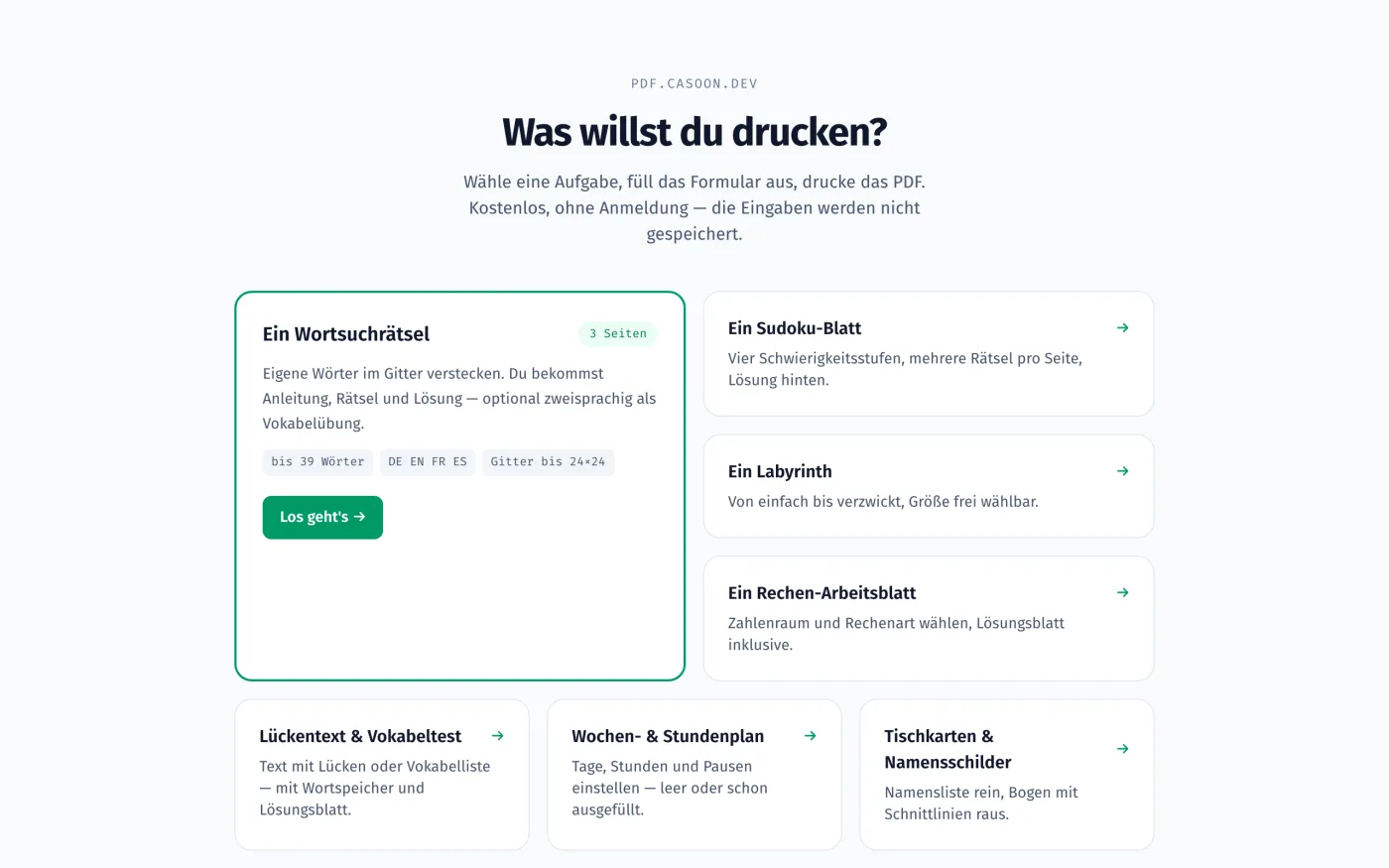
pdf.casoon.dev runs on this library.
- Puzzles (word search, sudoku, maze)3 %
- Worksheets (arithmetic, cloze test)2 %
- Organisation (timetable, place cards)2 %
- Business (certificate, invoice)2 %
The PDFs are produced either in the browser or in the worker. For AI assistants, the same generator is available as an MCP server. The demo site is in German.
When it is the wrong tool.
The narrow feature set is what pays for the size. Four points worth knowing before you decide.
No HTML, no CSS, no macro language
The input is the document tree – as Rust code or as JSON. If you need to print existing HTML, you need a browser-based route.
No text shaping
There is no shaping stack such as allsorts or rustybuzz. The library is not suitable for Arabic, Indic or other complex scripts.
Few conformance levels
PDF/A-3b and PDF/UA-1 are covered, plus ZUGFeRD embedding. Other PDF/A levels are not; krilla covers more there.
No npm package
The JavaScript/WASM bindings live in the repository under bindings/js and are built there. @casoon/lightweight-pdf is not published on the npm registry.
Frequently asked questions.
Can I use the library from JavaScript?
Yes, through the wasm-bindgen bindings under bindings/js. They are not published on npm, though: the package is built from the repository (npm install, npm run build), which needs the Rust toolchain with the wasm32-unknown-unknown target plus wasm-pack and wasm-opt.
Does it really run in a Cloudflare Worker?
Yes. examples/worker is a starter that turns a POST with a JSON document into a PDF response. The module was measured at 1252.95 KiB raw and 590.37 KiB gzip; in a local wrangler dev, a cold start including the first render took roughly 34 to 47 ms and warm renders roughly 11 to 25 ms including HTTP overhead. That is the workerd runtime, not the actual edge.
Do I need Rust to generate PDFs?
No. cargo install lightweight-pdf-cli provides the lwpdf binary with the commands render, validate, fonts and schema. Input is a JSON document, or a template plus a data file. Exit code 0 means success, 1 a render problem, 2 an input problem.
How are electronic invoices covered?
Document::zugferd_xml() embeds ZUGFeRD/Factur-X XML behind the zugferd feature, which implies PDF/A-3b. The output was verified with veraPDF and Mustang. Whether the XML meets a given recipient’s business requirements remains the calling application’s responsibility.
What dependencies does the crate pull in?
Only skrifa is required, for parsing font files. miniz_oxide for flate compression sits behind the default-on compress feature. Further features such as png, hyphenation, serde or wasm bring their own dependencies and can be turned off.
How large are the generated PDFs?
The three demo documents come to about 24 to 26 KB each with compression on, fonts embedded. Without the compress feature the same documents get noticeably larger; a difference of 40 to 60 percent is typical.
Try it first, then build it in.
The demo produces print-ready PDFs without an account. The code behind it is open under MIT.